Banking and Financial Services
  Payment
  Legal
Legal  Insurance
  E-Commerce Marketplace
  Gaming
  Fintech
  Securities & Investments
  Digital Lending
  Embedded Finance
  Customer Acquisition
  Fraud Check
  Employee Vendor BGV
  Customer Engagement
  Underwriting
  Risk Assessment
  Digital Onboarding
  Perfios Analyse
  Document Analysers
  ITR Analyser
  GST Analyser
  Payslip Analyser
  Credit Card Statement Analyser
  Financial Statement Analyser
  Perfios Verify
  KYC/KYB
  VKYC
VKYC  Liveness Detection
  OCR
OCR  Video PD
  PIVC
PIVC  Compliance Check
  OneClick Onboarding
  OneSDK
  AI Enabled ID Verification
  Digital Signature
  Perfios Lens
  Garner
  PFM
PFM  CAM
CAM  LeadGen
  Due Diligence
  Legal and Criminal Diligence
  kscan AI
  Perfios Protect
  Document Tamper and Behavioural Check
  TrustArmour
  Health Insurance Fraud Detection
  Deepfake Detection
  Perfios DPI Stack
  FIU++
FIU++  FIP++
FIP++  PCG
PCG  Perfios Platforms
  iAdore
  InteGreat
  OneVigil
  Perfios Hub
  Acclaim
  Consent Management
  Nexus 360
  Journey builder
  About Us
  Management
  Awards
  Life At Perfios
  Careers
  FINteraction
  Global Presence
  Our Customers
  Perfios Trust Center
  Perfios In News
  Blogs
Blogs  Videos
  Tech Blogs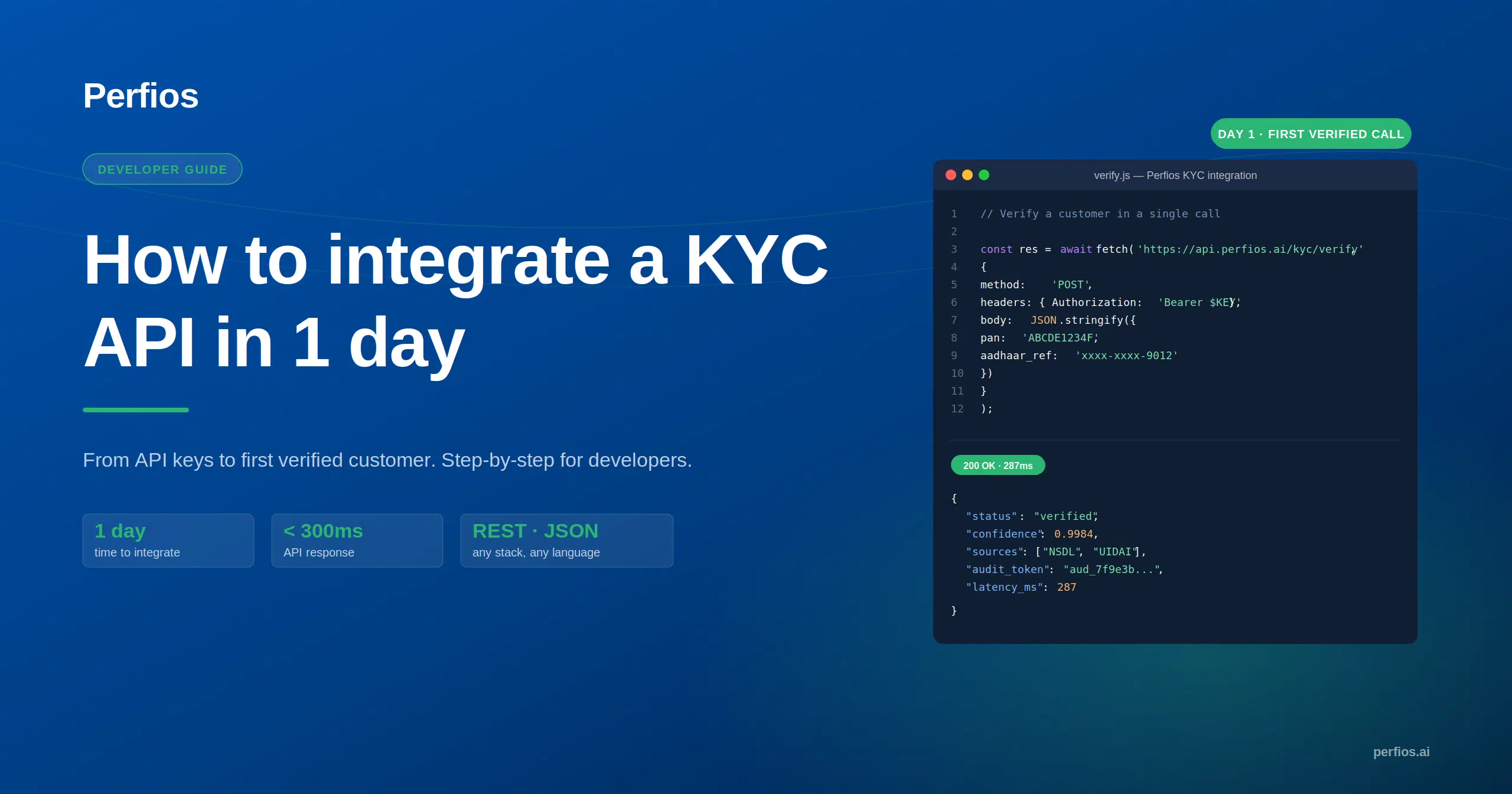

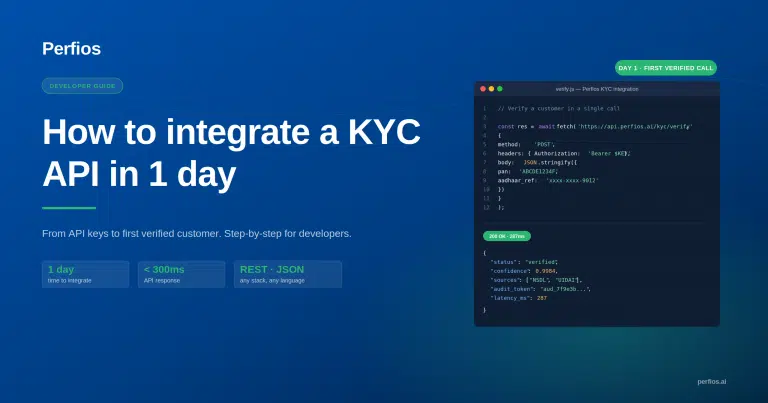
How to integrate a KYC API in 1 day, step by step
Most integration guides stop at the API call. On India’s regulated stack, consent, audit trails, and error handling are engineering requirements, not legal footnotes. Here is the path from the sandbox key to your first verified call, with the compliance layer built in.
You have the API credentials. The product team wants a go-live date. You open the vendor docs and find a clean explanation of what the endpoint returns, the response schema, the status codes, the timestamp, and almost nothing about what you are supposed to build around it. That gap is the real work of KYC API integration, and it is where most guides go quiet. Consent capture, audit trail logging, and error handling for failed verifications are not product decisions someone else makes later. They are engineering requirements that belong in the code from the first commit. This guide covers the three compliance decisions to make before setup, the setup itself, the layer that wraps every API call, and a checklist that gates production.
Three decisions before you touch the API
Before your first call, settle three things: which verifications your use case needs, how you capture consent, and where audit logs live. These decisions, not the integration code, are what determine whether the build survives compliance review.
This is the section every other guide skips, and it is the one that saves you a rebuild. Each decision shapes the code you are about to write.
1. Verification scope
Decide which document types your use case actually requires before building anything. Aadhaar, PAN, Voter ID, face match, and business entity checks each carry their own consent and storage obligations, so scoping is not a product nicety, it changes your data flow. Picking the narrowest set that satisfies your use case keeps both your code and your compliance surface smaller.
2. Consent architecture
UIDAI guidelines require explicit user consent before any Aadhaar authentication request, and that makes consent an engineering requirement, not a checkbox on a screen. Consent capture has to happen before the API call, and the consent record has to become part of the audit trail. Map this into the user flow before you write the integration layer, retrofitting it afterwards is how teams end up with consent that the regulator cannot trace to a specific request.
3. Audit trail structure
Every API response returns a JSON payload with verification status and a timestamp. Decide where those logs live, and how a compliance team retrieves them, before you write a single line of integration code. The schema you choose now is the schema an auditor reads later.
Setup: sandbox to first verified call
You can get from registration to a verified sandbox call in a single day. Perfios Hub is built for fast developer onboarding: instant sandbox access, ready-made Postman collections, and code samples in four languages.
Step 1: Register on Perfios Hub
Sign up at hub.perfios.ai/app/register with a business email and one-time verification. You get instant sandbox access with 10,000+ free test credits, no credit card required.
Step 2: Explore the documentation
Postman collections and code samples in Python, Java, Node.js, and PHP are available immediately on signup. The API is REST with JSON responses throughout, so it drops into whatever stack you already run.
Step 3: Configure authentication
Authentication is security key based. Store credentials in environment variables, never hardcoded in source. This is a security requirement, not a preference.
Step 4: Make the first sandbox call
Confirm the response structure, status, result data, and timestamp, maps to your audit trail schema before building further. Average response time for Aadhaar verification is under 3 seconds.
Note: One day refers to a verification call, not production deployment. Getting a clean sandbox response in a day is realistic. Shipping to production is gated by the compliance layer below and the checklist after it. Do not confuse the two.
The compliance layer: what wraps every API call
Every KYC API call has three compliance touch points your application owns: consent before the call, an audit log written at the moment of response, and a defined path for every failure type. None of these are legal footnotes. All three are code you write.
Before the call, consent
For Aadhaar-based verification, capture explicit user consent before the request leaves your application. The Perfios Aadhaar API enforces a zero-storage policy for Aadhaar numbers and biometric data per UIDAI guidelines, and your application has to enforce the same on its side: no caching, no persistence of sensitive ID data anywhere in your stack. (For the Aadhaar-specific verification flow itself, see how to verify a customer’s KYC with the Aadhaar Verification API.)
After the call, audit log
Write the JSON response to your audit log store immediately, at the point of response, not retrieved later. The payload already includes verification status and timestamp, which makes it regulator-ready if you capture it at response time and incomplete if you try to reconstruct it afterwards.
On failure, compliance events
A failed verification is not an unhandled exception to swallow. The Perfios API returns specific error codes for invalid documents, OTP failures, and data mismatches, and each one needs a defined application response:
- Retry logic for transient failures such as OTP timeouts.
- An escalation flow for document mismatches that need review.
- A fallback path for users who cannot complete digital verification at all.
Build all three explicitly before going to production. A verification that fails silently is a compliance gap, not an edge case.
The integration is not just technical. The compliance layer has to be in the code from the start, because you cannot bolt an audit trail onto a request that already happened.
Production checklist
Treat this as a hard gate between sandbox and production. Every item is a compliance or security requirement, not a suggestion. If one is unchecked, you are not ready to go live.
| Requirement | Compliance / Security Category |
|---|---|
| Consent capture implemented before every Aadhaar API call, and the consent record written to the audit log. | UIDAI requirement |
| API credentials stored in environment variables, not source code. | Security baseline |
| Every API response written to the audit log at the point of response, not retrieved later. | Regulator audit readiness |
| Every error type, invalid document, OTP failure, data mismatch, and network timeout, has a defined application response. | Compliance event handling |
| No Aadhaar numbers, biometric data, or sensitive ID numbers cached or persisted by your application. | Zero-storage policy (Perfios Aadhaar and Face Match APIs) |
| Webhook endpoint tested and received notifications correctly. | Perfios Hub supports webhooks for real-time status updates |
| Subscription plan confirmed against expected verification volume. | Pay-as-you-go or subscription (no hidden charges, upgrade or downgrade anytime) |
This guide covered identity KYC integration. If your onboarding also verifies bank accounts, that is a separate flow with its own integration path, walked through in the bank verification API guide.
Ready to build?
Get instant sandbox access and start your integration today, no credit card needed.
Start with 10,000+ free test credits on Perfios Hub →
Frequently asked questions
How long does KYC API integration take?
You can go from sandbox registration to your first verified API call in a single day. Registration is instant with 10,000+ free test credits, and Postman collections plus code samples in Python, Java, Node.js and PHP are available on signup. Production deployment takes longer because it depends on completing the compliance and security checklist.
Do I need a credit card to test a KYC API?
No. Perfios Hub gives instant sandbox access with 10,000+ free test credits and no credit card required. You only choose a paid plan when you are ready for production volume, and you can upgrade or downgrade anytime.
Can I deploy a KYC API to production in one day?
You can build a working integration in a day, but production requires more than a successful API call. Consent capture, audit trail logging, error handling for failed verifications, and zero-storage enforcement all have to be in place first. Treat the production checklist as a hard gate.
© 2026 Perfios Software Solutions. This guide is for informational purposes and does not constitute legal or regulatory advice. Confirm current UIDAI and RBI requirements with your compliance team before going to production. Code samples are illustrative, refer to the Perfios Hub documentation for exact endpoints and payloads.